For years, the “upgrade” for a meeting room was obvious: throw out the projector, hang a big LCD, and call it done.
That worked when presentations were simple and meetings were mostly in-person.
Today you are running 4K video calls, dense dashboards, live demos, and design reviews with people sitting just a few metres from the screen.
A single 98-inch LCD or a tiled LCD wall with bezels is starting to look like the weakest link.
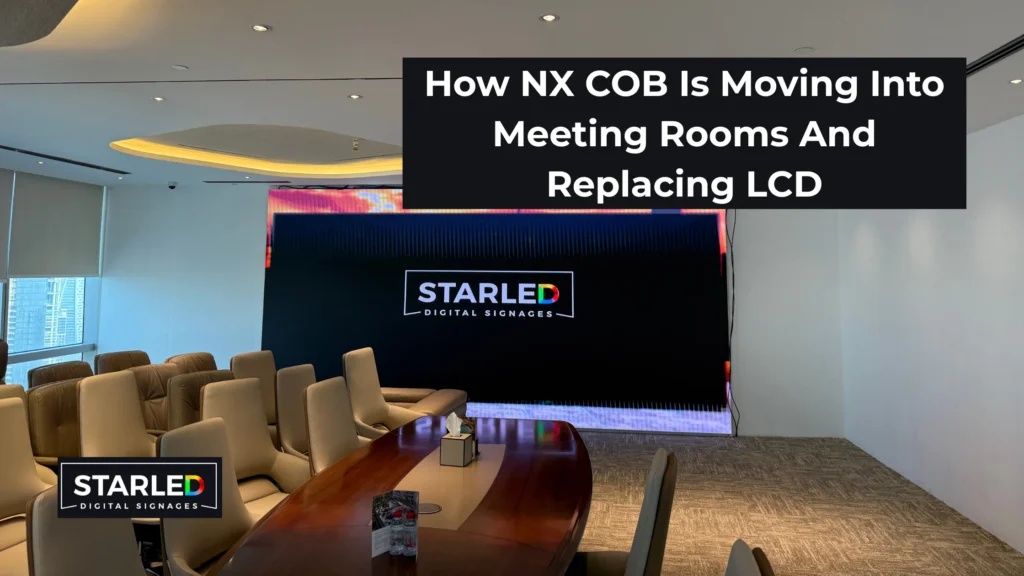
That is exactly where NX Series COB are moving in and quietly replacing LCD as the default meeting room screen.
Why meeting rooms have outgrown LCD
LCD is hitting real limits in modern collaboration spaces:
- Size ceiling
You only get fixed sizes. Anything “bigger” means tiling multiple LCDs and living with bezel lines cutting through content. - Bezel breaks
Gridlines across financial models, maps, and UI screens are distracting and slow people down. - Poor performance in bright rooms
In glass-heavy offices, LCDs wash out. Side seats see a dull, low-contrast image. - Shorter visual life
Backlights and layers age unevenly, leading to patchy brightness and colour shift over time.
Meanwhile, the content on screen has evolved. Teams are working on real-time data, visual interfaces, and hybrid meetings. The display needs to behave more like a seamless digital surface than a bigger TV.
What exactly is NX COB?
NX COB is a fine-pitch, indoor LED video wall built on flip-chip COB (Chip on Board) packaging.
Instead of exposed SMD lamps, you have LED chips bonded directly to the PCB and sealed under a protective layer. This changes a few important things for meeting rooms:
- The front surface is smooth, robust, and easier to clean.
- There is no “gritty” LED feel when people walk close to the wall.
- The dark surface helps deliver deeper blacks and higher perceived contrast.
The NX Series is available in tight pixel pitches like 0.9 mm and 1.25 mm, mounted on 16:9 cabinets that tile into native Full HD, 4K, or higher layouts without stretching the image.
If you want the full technical story, start with the detailed explainer here: NX Series Indoor LED Display: COB Technology
NX COB vs LCD in a real room
1. Screen size and canvas design
LCD forces you to pick a size. NX COB lets you design a canvas.
Using 16:9 cabinets, you build exactly the width and height your room needs. For a compact boardroom, it could be a clean, single-wall canvas. For a strategy room or mini townhall space, you scale wider and taller without any bezel lines.
Result: everybody in the room sees the same information, without zooming or juggling slides.
2. Clarity at normal meeting distances
In most meeting rooms, people sit 2–5 metres from the screen. That is “close” in display terms.
Fine-pitch COB around 0.9–1.25 mm is built for that distance.
Small text, thin lines, UI elements, and complex charts remain sharp across the wall, not just at the centre.
LCD can look crisp on simple slides. But when you throw spreadsheets, design tools, or code on screen, you end up enlarging everything just so people can read it. NX COB lets you show more at once without sacrificing readability.
3. Contrast, colour, and viewing angles
COB surfaces are naturally dark, with LEDs embedded into the black substrate. Combined with high bit-depth processing and modern driver ICs, you get:
- Deep blacks without the usual LED “glow” in dark scenes
- Smooth gradients for charts, photos, and UI elements
- Stable colour and contrast across wide viewing angles
For real rooms, this matters more than spec-sheet brightness numbers. In a bright, glassed-in meeting room, NX COB holds contrast and saturation better than an LCD panel trying to fight ambient light.
Collaboration experience: what changes in day-to-day meetings
Once NX COB replaces LCD, a few behaviours change inside the room:
- People stop fighting for the “good seat.”
Wide viewing angles and consistent brightness mean side seats see the same quality as centre seats. - Presenters use more complex views.
You can comfortably split the wall into multiple windows: video call on one side, live dashboard on the other, reference deck at the bottom. - Annotations become practical.
Whether you are using touch overlays, pen input, or software-based ink tools, the fine pixel structure makes handwriting and markup look natural. - Hybrid meetings feel more “broadcast-grade.”
High refresh and clean grayscale performance reduce flicker and banding when the screen is on camera. Everything from speaker shots to content shares looks smoother in recordings and remote feeds.
The screen stops being a bottleneck. It becomes part of the collaboration flow.
Why NX COB is built for premium meeting and boardroom spaces
NX COB is not a generic indoor LED product that happens to work in meeting rooms. The way it is packaged and engineered aligns neatly with boardroom needs:
- Fine pixel pitches for close viewing
Ideal for boardrooms, project war rooms, training centres, and executive briefing spaces where people sit near the wall. - Robust front surface
COB packaging and protective coatings mean it is better suited for spaces with frequent cleaning and occasional accidental contact. - Quiet, front-service design
Minimal noise, clean cable routing, and front access for service let you integrate the display into wall panelling or architectural features. - Consistent visual performance
Stable brightness and colour over years of operation protect the room experience. No random panel replacements or patchy visuals like aging LCDs.
If you are evaluating different technologies for boardrooms, it is worth comparing NX COB to other indoor LED displays so you can standardise finishes and performance across spaces.
Moving from LCD to NX COB: practical steps
When you start planning a shift from LCD to NX COB, use a structured checklist:
- Map viewing distances
Measure the closest and farthest seats. This will drive your choice between pitches like 0.9 mm and 1.25 mm. - Decide the ideal screen width, not “TV size”
Sketch how much wall width you want the display to occupy. Work backwards from that dimension and design a 16:9 NX COB canvas that fills it cleanly. - Align on resolution
For most meeting rooms, a native Full HD or 4K canvas is more than enough. Choose the cabinet configuration that delivers this resolution without overspecifying. - Plan mounting and aesthetics
Decide whether the wall will sit proud of the surface or be recessed into panelling. NX COB works well with slim front-service mounts that hide structure and cabling. - Integrate with your VC and control systems
Make sure your matrix, VC codec, or all-in-one bar can feed native resolution and refresh into the wall. A simple control interface (touch panel or keypad) avoids relying on laptops to manage inputs. - Consider operations and support
Define who will own basic maintenance, how often the wall will be cleaned, and what SLAs you expect from your integrator.
Doing this once for your flagship room makes it easy to roll out a consistent template across the rest of your meeting spaces.
Where NX COB makes the biggest difference
You feel the jump from LCD to NX COB most clearly in:
- Boardrooms and client-facing spaces
The wall becomes a visual statement as well as a tool. High-end finishes with seamless LED reinforce the positioning of the brand. - Strategy and project war rooms
Teams can keep multiple live windows open: timelines, dashboards, drawings, and video feeds all on one surface. - Training and experience centres
The same NX COB canvas you use for internal sessions doubles up as a content wall for visiting clients and partners.
Once you standardise around a fine-pitch COB platform, you can reuse the same visual logic, content formats, and service playbook across rooms.
Let’s wrap up!
In the end, the shift from LCD to NX COB is not just a technology upgrade. It is a decision about how clearly your teams see information, how confidently you host clients, and how future-proof your meeting spaces really are.
If you are planning to move away from projectors and oversized TVs, NX COB gives you a seamless, high-impact canvas that actually matches the way modern meetings work. As a LED screen supplier in Dubai, we offer factory-based pricing, fast installation, and a 5-year warranty on our NX COB meeting room solutions, so you get premium performance without bloated project costs or long downtime.
If you are rethinking your boardroom, war room, or training centre, this is the right time to evaluate NX COB as your next standard for indoor displays and lock in a platform that will serve you reliably for years.
FAQs
Q. Is COB LED “too premium” for normal meeting rooms?
A- It is premium, but not overkill. Fine-pitch COB is built exactly for close viewing and hybrid collaboration. If your teams are working with dense content and regular video calls, the performance difference over LCD shows up every day.
Q. What pixel pitch should I choose for a typical boardroom?
A- As a rule of thumb, when people can sit quite close to the wall, pitches like 0.9 mm and 1.25 mm are the most balanced. They keep text and UI sharp across the room without making the project unnecessarily expensive.
Q. Can NX COB replace both projectors and LCDs in one go?
A- Yes. A correctly sized NX COB wall becomes the primary visual surface for presentations, VC, and ambient content. It is brighter than projectors, more flexible than LCDs, and engineered for long-term daily use.
Q. Where can I learn more about NX COB itself?
A- For a technical deep dive into pixel pitches, cabinet design, and use cases beyond meeting rooms, read the detailed NX Series indoor LED display article and treat this meeting room guide as the practical, application-layer view.